> For the complete documentation index, see [llms.txt](https://documentation.botghost.com/llms.txt). Markdown versions of documentation pages are available by appending `.md` to page URLs; this page is available as [Markdown](https://documentation.botghost.com/utility/weather.md).
# Weather
Get the current and future weather forecast of a city.
The [Weather](https://dashboard.botghost.com/dashboard/module/e09631dc-4f8f-4bf7-a02c-27ea0187d78f/weather) module is a simple way to get the weather of any location in the world directly to your bot.
## Settings
### Measurement Scales
#### Temperature Scale
The unit of temperature to display the weather temperatures in. Can be set to Celsius or Fahrenheit.
#### Wind Scale
The unit of speed to display the wind speeds in. You are able to display the speeds in miles per hour (MPH) or kilometers per hour (KPH).
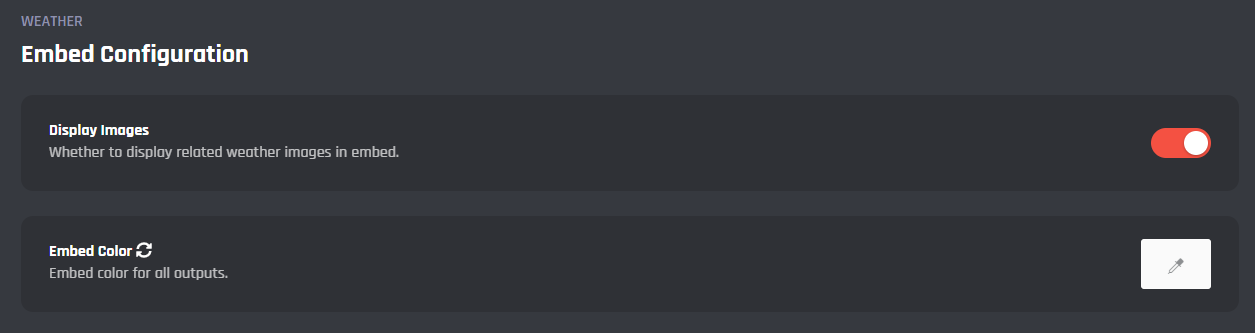
### Embed Configuration
#### Display Images
The option to display weather related images in the command's embed.
#### Embed Color
The embed color for all outputs in the weather command.
***
## Commands
In this area, you can view and modify the command of the Weather module. Below you may find some information on the command of the module.
/weather
Obtain the current and future weather information for any location in the world by providing a base location.

***
{% hint style="danger" %}
It's advised that you do not edit the command unless you have a good understanding of BotGhost and its Command Builder. If you encounter any issues, you might want to reset the module for it to work again as intended.
Additionally, a copy of the edited command will be created if you update the module.
{% endhint %}