> For the complete documentation index, see [llms.txt](https://documentation.botghost.com/llms.txt). Markdown versions of documentation pages are available by appending `.md` to page URLs; this page is available as [Markdown](https://documentation.botghost.com/custom-commands-and-events/options/music-smart-search-option.md).
# Music Smart Search Option
This option can be used to let users search for music tracks when using a command.
There are multiple variables you can use from this option. The format of the variable is `{option_optionname}`, where `optionname` is the [name](#option-name) of the option.
| Variable | Information |
| ---------------------------- | ------------------------------------------------------------------------------------------------------------------------------------------------------------------------------------------------------------------------------------------------------------------------------------------------------------------- |
| `{option_optionname.result}` | This variable should be used in the [Music Queue Add](/custom-commands-and-events/actions/music-actions/add-to-queue.md) and [Music Search](/custom-commands-and-events/actions/music-actions/search-tracks.md) actions. If the user selected an option from the list, this will return the unique ID of the track. |
| `{option_optionname.title}` | This variable can be used for messages to a user. It returns the song's title. |
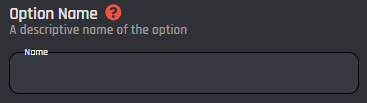
## Option Name
This field requires an input for your unique option name. The designated name will then be the reference for your option variable.
## Option Description
The option description field allows you to assign a custom description to your option. It is useful to describe what the option is used for.
## Set Required
With this switch you are able to toggle if the option should be required or not in order to execute the command.