> For the complete documentation index, see [llms.txt](https://documentation.botghost.com/llms.txt). Markdown versions of documentation pages are available by appending `.md` to page URLs; this page is available as [Markdown](https://documentation.botghost.com/custom-commands-and-events/options/channel-option.md).
# Channel Option
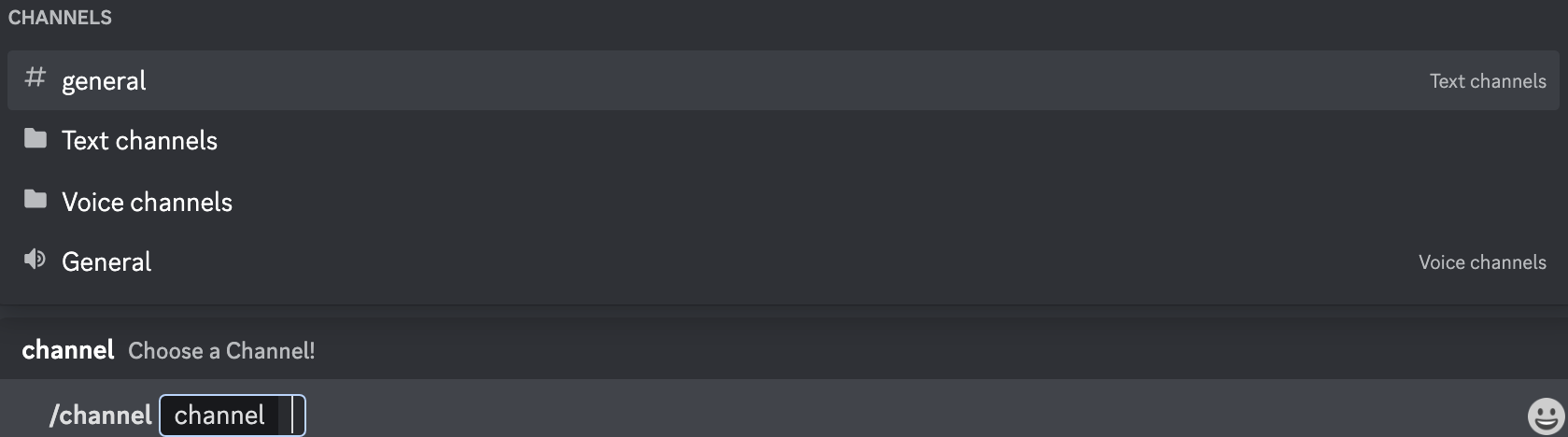
The channel option block allows for any channel to be selected from the server and used later in the commands actions. Channel IDs may also be used.
{% hint style="warning" %}
Only the channels to which the user has access can be selected.
{% endhint %}
You can retrieve the variable of the option via the **Clipboard** or the block itself. The format of the variable is `{option_optionname}`, where `optionname` is the [name](#option-name) of the option.
Additionally, channel option variables can be combined with other variables to target the channel selected in the option. `{}` brackets must be excluded from the option when used as a target, like in the example below:
❌ Wrong
☑️ Correct
{channel_name[{option_channel}]}
{channel_name[option_channel]}
{BGVAR_status[{option_channel}]}
{BGVAR_status[option_channel]}
## Option Name
This field requires an input for your unique option name. The designated name will then be the reference for your option variable.
## Option Description
The option description field allows you to assign a custom description to your option. It is useful to describe what the option is used for.
## Set Required
With this switch you are able to toggle if the option should be required or not in order to execute the command.