> For the complete documentation index, see [llms.txt](https://documentation.botghost.com/llms.txt). Markdown versions of documentation pages are available by appending `.md` to page URLs; this page is available as [Markdown](https://documentation.botghost.com/custom-commands-and-events/conditions/user-condition.md).
# User Condition
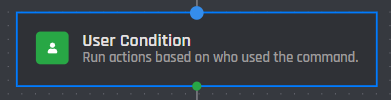
This condition compares a user ID of whoever triggered the command / event and is used to run actions based off what user is inputted.
## User
This field accepts a plain user ID, a [user option](/custom-commands-and-events/options/user-option.md) or a [variable](/custom-commands-and-events/variables.md) that returns a plain user ID. Click the add condition button below to add the value to the builder as part of the condition.
{% hint style="info" %}
Click the block on the builder to access the following menu.
{% endhint %}
## User ID
In this section you can edit the compared user by switching the user ID. [Variables](/custom-commands-and-events/variables.md) may be used this in field or a plain user ID.
## Run when it is NOT this user
This option, when enabled, allows you to run the actions below the selected block when it is not the user who ran the command, instead of running when it is the user.
Here is an example layout for this condition: