> For the complete documentation index, see [llms.txt](https://documentation.botghost.com/llms.txt). Markdown versions of documentation pages are available by appending `.md` to page URLs; this page is available as [Markdown](https://documentation.botghost.com/custom-commands-and-events/conditions/premium-check-condition.md).
# Premium Check Condition
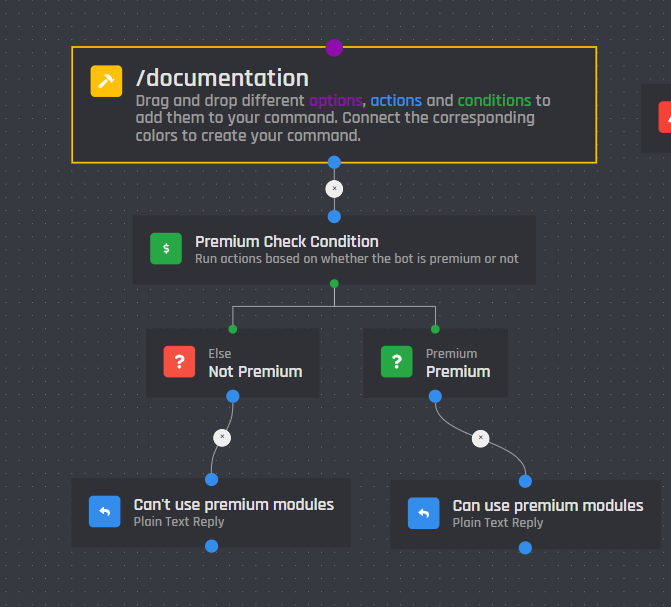
The premium check condition allows you to run actions based off if your bot has premium or not. This condition is mainly used in BotGhost's pre-built modules, however it can be used in any command / event you create. The red block runs when the bot is not premium, while the green one runs when the bot is currently premium. The condition has no settings.
Here is a layout for this condition: