> For the complete documentation index, see [llms.txt](https://documentation.botghost.com/llms.txt). Markdown versions of documentation pages are available by appending `.md` to page URLs; this page is available as [Markdown](https://documentation.botghost.com/custom-commands-and-events/actions/server-actions/leave-server.md).
# Leave Server
With the "Leave Server" action you can force the bot to leave a server. Please note this action cannot be undone and the bot will need to be re-invited to rejoin the server, so consider adding a confirmation step before using this action.
## Target Server
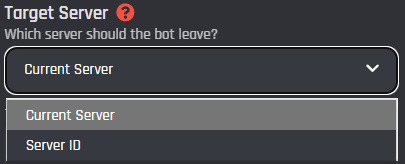
This dropdown menu is the channel target for the server invite. You will only have two options to choose from.
{% tabs %}
{% tab title="Current Server" %}
If this type is selected, the bot will leave the server where the command has been ran.
{% endtab %}
{% tab title="Server ID" %}
If this type is selected, the bot will leave the server entered in the field below by ID or variable.
## Server ID
In this field you can enter the server ID or variable of the server that you want to leave with the bot.
{% endtab %}
{% endtabs %}