> For the complete documentation index, see [llms.txt](https://documentation.botghost.com/llms.txt). Markdown versions of documentation pages are available by appending `.md` to page URLs; this page is available as [Markdown](https://documentation.botghost.com/custom-commands-and-events/actions/other-actions/note.md).
# Note
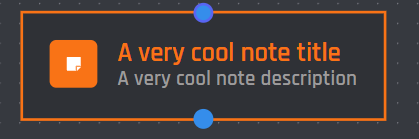
This block lets you write a simple note inside of your command or event builder that does not trigger any actions. Allows you to save information such as guides on how to setup the command.
{% hint style="info" %}
The Note action block does not modify the behaviour of your command / event.
{% endhint %}
## Title
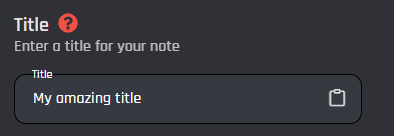
The title for your note, this text will appear on the top of your note. A maximum of 100 characters is allowed in this field.
## Description
The description for your note, a maximum of 2000 characters is allowed inside of this field.
## Note Color
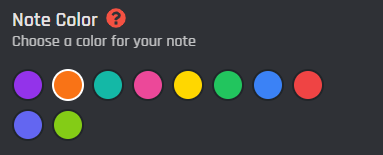
The color for your note's title and outline. You may select an option by clicking one of the circles.