> For the complete documentation index, see [llms.txt](https://documentation.botghost.com/llms.txt). Markdown versions of documentation pages are available by appending `.md` to page URLs; this page is available as [Markdown](https://documentation.botghost.com/custom-commands-and-events/actions/music-actions/skip-track.md).
# Skip Track
{% hint style="warning" %}
This action requires a [Premium Subscription](/premium/premium-and-priority-hosting-plans.md#premium-plans) to function.
{% endhint %}
The skip track action allows you to skip to the next track or to a specific position in the queue.
## Server
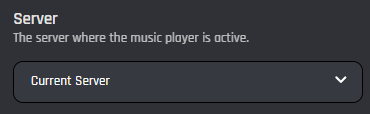
This setting allows you to target a server. You have two options to select from:
{% tabs %}
{% tab title="Current Server" %}
When you select the 'Current Server' option, the music track of the current server will be skipped.
{% endtab %}
{% tab title="Server ID" %}
When you select the 'Server ID' option, the music track of the provided server ID will be skipped.
### Server ID
In this field you can enter the ID of the server where you want to skip the music track. Variables can be used in this field.
{% endtab %}
{% endtabs %}
## Skip Mode
This setting allows you to choose whether to skip by a number of tracks or jump to a specific position in the queue.
{% tabs %}
{% tab title="Skip by Amount" %}
Skip by Amount allows you to skip a certain number of tracks.
### Skip Amount
In this field you can set how many tracks you want to skip forward. For example, setting this to "1" would skip forward to the next track.
{% endtab %}
{% tab title="Skip to Position" %}
Skip to Position allows you to skip to a specific position in the queue.
### Queue Position
In this field, you can enter the queue position you would like to jump to. Setting this to "0" would skip to the first track in the queue, and "1" would skip to the second.
{% endtab %}
{% endtabs %}