> For the complete documentation index, see [llms.txt](https://documentation.botghost.com/llms.txt). Markdown versions of documentation pages are available by appending `.md` to page URLs; this page is available as [Markdown](https://documentation.botghost.com/custom-commands-and-events/actions/music-actions/replay-track.md).
# Replay Track
{% hint style="warning" %}
This action requires a [Premium Subscription](/premium/premium-and-priority-hosting-plans.md#premium-plans) to function.
{% endhint %}
The Replay Track action restarts the currently playing track from the beginning.
## Server
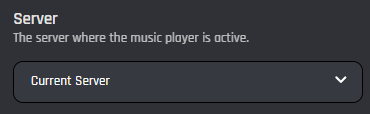
This setting selects which server the action applies to. You have two options to choose from:
{% tabs %}
{% tab title="Current Server" %}
When you choose the Current Server option, the current track will be replayed on the server where the command is executed.
{% endtab %}
{% tab title="Server ID" %}
When you select the Server ID option, the current track will be replayed in the server matching the provided ID.
### Server ID
In this field, you can enter the ID of the server where you want the current track to be replayed. Variables can be used in this field.
{% endtab %}
{% endtabs %}