> For the complete documentation index, see [llms.txt](https://documentation.botghost.com/llms.txt). Markdown versions of documentation pages are available by appending `.md` to page URLs; this page is available as [Markdown](https://documentation.botghost.com/custom-commands-and-events/actions/music-actions/play-queue.md).
# Play Queue
{% hint style="warning" %}
This action requires a [Premium Subscription](/premium/premium-and-priority-hosting-plans.md#premium-plans) to function.
{% endhint %}
The Play Queue action allows you to begin playing the music that is in the music queue. Ensure you add music to the queue with [add to queue](/custom-commands-and-events/actions/music-actions/add-to-queue.md) first. You can use the [`{MusicCurrentTrack}`](/custom-commands-and-events/variables.md#music-objects) object variable to reference the currently playing track.
## Server
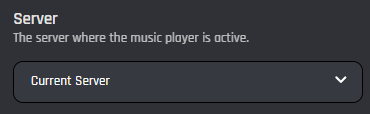
This setting allows you to target a server. You have two options to select from:
{% tabs %}
{% tab title="Current Server" %}
When you select the 'Current Server' option, the music queue of the current server will be played.
{% endtab %}
{% tab title="Server ID" %}
When you select the 'Server ID' option, the music queue of the provided server ID will be played.
### Server ID
In this field you can enter the ID of the server where you want to play the music queue. Variables can be used in this field.
{% endtab %}
{% endtabs %}