> For the complete documentation index, see [llms.txt](https://documentation.botghost.com/llms.txt). Markdown versions of documentation pages are available by appending `.md` to page URLs; this page is available as [Markdown](https://documentation.botghost.com/custom-commands-and-events/actions/music-actions/disconnect-from-voice.md).
# Disconnect from Voice
{% hint style="warning" %}
This action requires a [Premium Subscription](/premium/premium-and-priority-hosting-plans.md#premium-plans) to function.
{% endhint %}
The Disconnect from Voice action removes the bot from the current voice channel and can optionally destroy the music player.
## Server
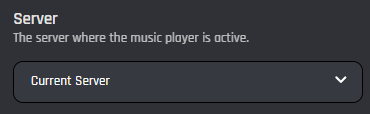
This setting selects which server the action applies to. You have two options to choose from:
{% tabs %}
{% tab title="Current Server" %}
When you choose the Current Server option, the bot will disconnect from the voice channel within the server where the command is executed.
{% endtab %}
{% tab title="Server ID" %}
When you select the Server ID option, the bot will disconnect from the voice channel of the server matching the provided ID.
### Server ID
In this field, you can enter the ID of the server where you want the bot to disconnect from the voice channel. Variables can be used in this field.
{% endtab %}
{% endtabs %}
## Destroy Player
In this option you can choose whether the music player should be fully destroyed and its queue cleared. If set to No, the bot will simply disconnect from voice but keep the existing queue.