> For the complete documentation index, see [llms.txt](https://documentation.botghost.com/llms.txt). Markdown versions of documentation pages are available by appending `.md` to page URLs; this page is available as [Markdown](https://documentation.botghost.com/custom-commands-and-events/actions/message-actions/publish-a-message.md).
# Publish a Message
{% hint style="warning" %}
This feature is only available in [announcements channels](https://support.discord.com/hc/en-us/articles/360032008192-Announcement-Channels).
{% endhint %}
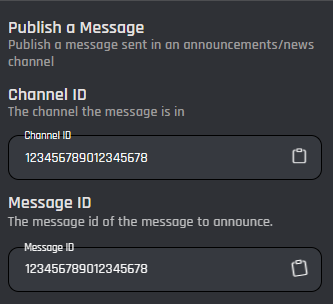
When triggered, the Publish a Message action crossposts, or publishes, a message across other servers and channels that follow its channel. This message can be set by its channel and message ID. All variables and options can be used in the channel and message ID fields.
## Channel ID
Here you can set the ID of the channel the message you're publishing is in. You can do this by pasting an ID directly from Discord (learn how [here](https://support.discord.com/hc/en-us/articles/206346498-Where-can-I-find-my-User-Server-Message-ID)) or using a variable that returns a channel ID. These can be easily added through the variable selector by clicking the **Clipboard** button.
## Message ID
Here you can set the ID of message you're publishing. You can do this by pasting an ID directly from Discord (learn how [here](https://support.discord.com/hc/en-us/articles/206346498-Where-can-I-find-my-User-Server-Message-ID)) or using a variable that returns a message ID. These can be easily added through the variable selector by clicking the **Clipboard** button.
***
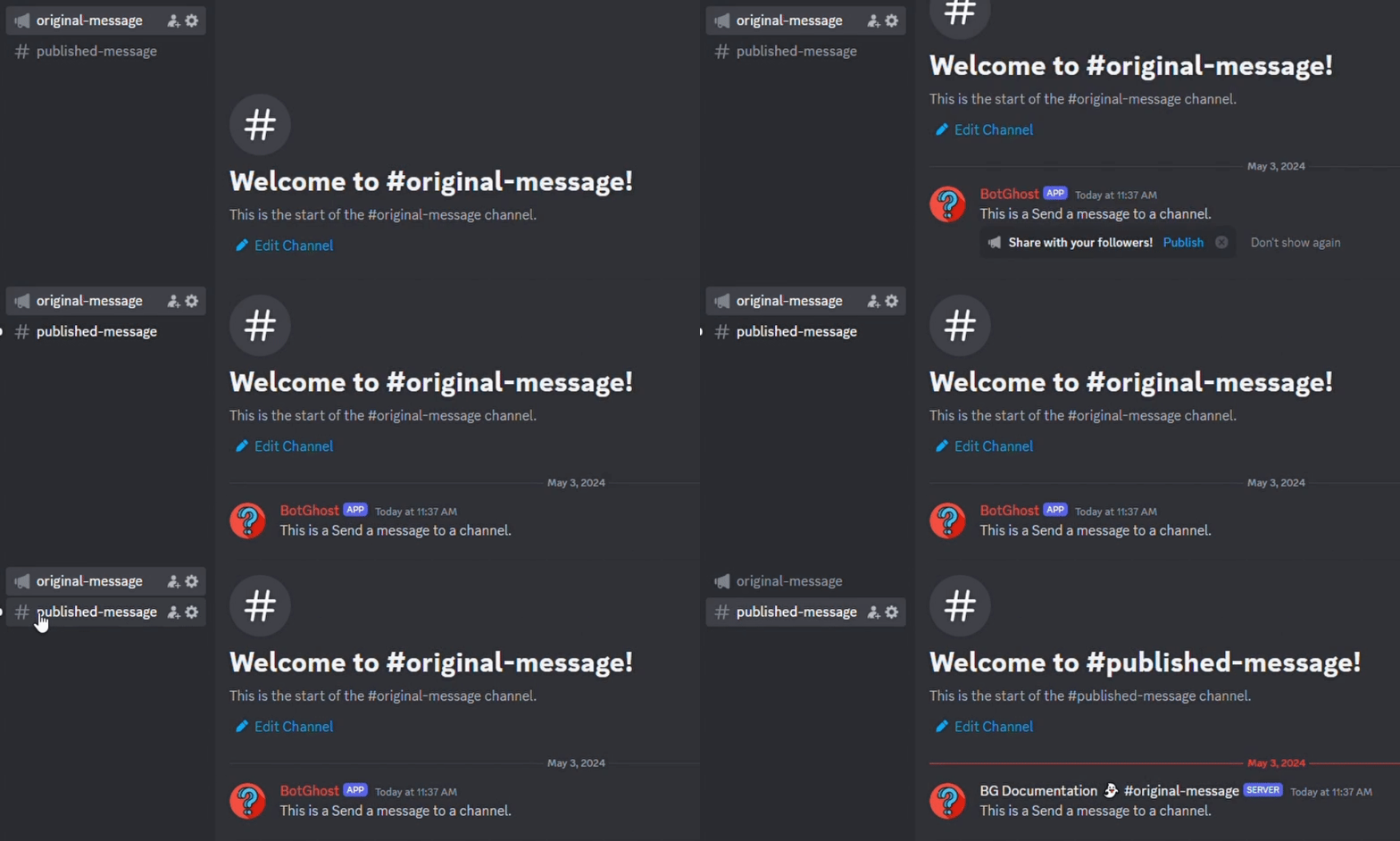
Below is an example of a simple command that uses [Send a message to a channel](/custom-commands-and-events/actions/legacy-reply-actions/send-a-message-to-a-channel.md)and publishes the message.