> For the complete documentation index, see [llms.txt](https://documentation.botghost.com/llms.txt). Markdown versions of documentation pages are available by appending `.md` to page URLs; this page is available as [Markdown](https://documentation.botghost.com/custom-commands-and-events/actions/loop-actions/run-a-loop.md).
# Run a Loop
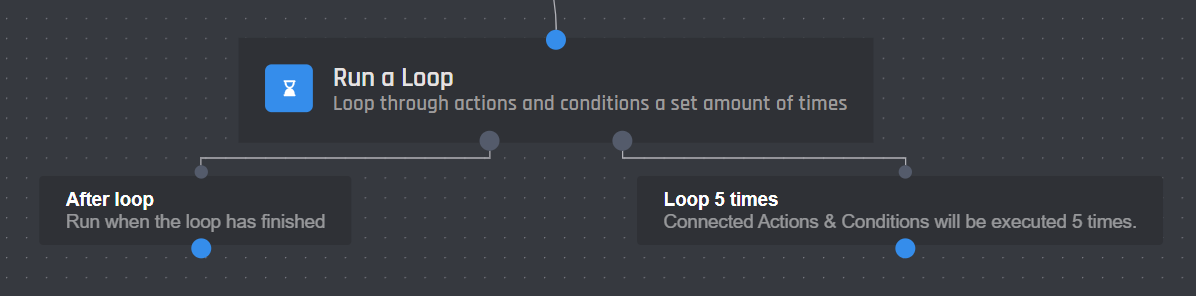
Loops allow you to repeat connected actions and conditions a set amount of times. You can change the number of times a loop is run by setting the loop count with a number or variable. Actions and conditions connected to the Loop X Times block will then be run that many times. Once the loop has finished actions and conditions connected to the 'After Loop' block will be run like normal. This block will open a world of possibilities for users to explore.
## Settings
### Loop Count
The "Loop count" section will determine the number of times the actions that follow should repeat. By default this is set to a count of 5, however, you can loop actions up to 1000 times. All [variables](/custom-commands-and-events/variables.md) can be used. If you want to loop through all values of a collection, you can use the `{lengthOfCollection()}` variable to loop as many times as the length of the collection.
### Timeout
This setting lets you specify the timeout between loop iterations. This means that once one iteration is completed, the bot will wait the provided amount of ms before starting the next iteration. The minimum timeout is 10 milliseconds and the maximum is 600000 milliseconds (10 minutes). Remember that 1 seconds equals to 1000 milliseconds (or ms).
## Limitations
There are a few limitations on loops to discourage abuse of the system:
* Loops have a minimum timeout of 10 ms between each loop and a maximum of 600000 milliseconds (10 minutes).
* You can not run loops inside of loops.
* A max loop count of 1000 exists.
{% hint style="info" %}
These limitations may change as we monitor how people are using loops.
{% endhint %}
## **Loop Variables**
This action comes with two variables, they are:
| Variable | Description |
| -------------- | ----------------------------------------------------------------------------------------------- |
| `{loop_count}` | Returns the current loop count. Starts at 1. |
| `{loop_index}` | Returns the current loop index. Starts at 0 and is useful for when looping through collections. |
## **Stop a Loop Action**
Loops have a unique [**Stop a Loop** ](/custom-commands-and-events/actions/loop-actions/stop-a-loop.md)action that can be run to stop any running loop. This action can be used with conditions to conditionally stop a loop.